Tip: #Share your #Twitter #Favorites using #RSS

The next trick I discovered “by accident”, when I realised it is, in fact, very cool:

If you’re on Twitter, you can use your browser or client on your phone (iPhone, BlackBerry) to mark (or unmark) a tweet as a Favorite with just one single click. This allows you to quickly mark a tweet while you’re on the road and read it later on, when you’re comfortable behind a computer with a nice big screen.

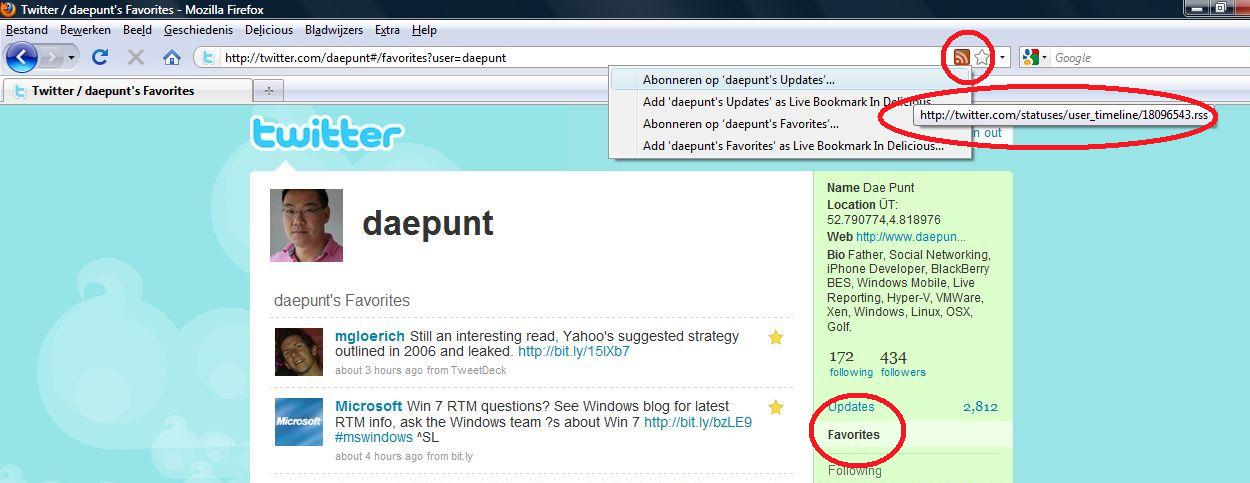
When you go to the page of your Twitter account and click Favorites, you’ll see the orange RSS icon in the address bar of your browser. Click it, to see the address of the RSS feed of your Twitter Favorites.
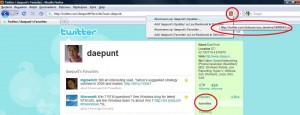
Twitter Favorites of @daepunt

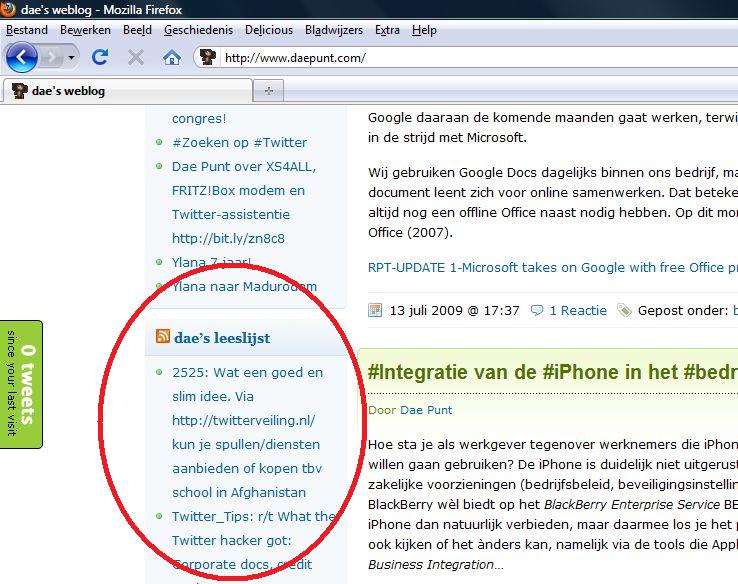
This RSS feed you can use on your weblog and use it yourself, but it also allows you to share your Favorites with the readers of your weblog!
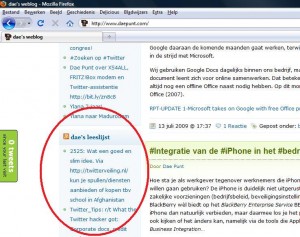
Twitter Favorites of @daepunt on dae's weblog

Tip: You can manipulate or add stuff to your Twitter Favorites RSS feed by feeding it to Yahoo Pipes and if you make a Feedburner feed out of it, your list of Favorites suddenly becomes an “intelligent” feed, allowing you to add interaction to it. Read my Crash Course FeedBurner for more information on the use of FeedBurner. And if you’re really into it, you can even use TwitterFeed to have your newly added Favorites tweeted to your followers! Now, how cool is that?!? 🙂
Deferred sending of outbound emails – Deferred Sender @deferredsender

Some things you can prepare ahead, but when it comes to email, you can only write drafts and keep them until it’s actually time to send them out.

Free service Deferred Sender lets you send your emails now, allowing you to have them actually sent out at the time you decide.

Be careful! Make sure you read the Terms and Conditions very well. As you may know, email crosses the planet in plain text and delivery between sender and receiver always goes through hops, rather than directly. Without special measures anyone can read your incoming and outgoing email (Deferred Sender changes nothing about that).

Do you care about privacy? Then, consider the use of encryption. Contact our office for more information about encryption and email.

Deferred Sender

CTX119910 – How to shutdown your #XenServer with #APC #PowerChute during power blackout

Are you using Citrix’s (free) XenServer and would you like it to shutdown its vm‘s (virtual machines) (was well as the Xen host itself, of course) after the light has gone out in your server room? Article Citrix Knowledge Base article CX119910 Citrixdescribes how to do this. Mind you: You need a Windows Server with APC PowerChute installed…

Make sure your Xen host is plugged in to the same UPS as one of your (physical) Windows Servers. Install Citrix’s management software (XenCenter) on this Windows Server. XenCenter contains a tiny program named xe.exe, which allow you to shutdown your vm’s and eventually your host. Write a batch file shutdown.cmd that your Windows Server executes after power blackout and Bobs your uncle!

Be aware: this shutdown.cmd file needs proper protection, as it contains paswords, necessary to shutdown the vm’s and the host!!

CTX119910 – How to Integrate XenServer and APC PowerChute – Citrix Knowledge Center